creator profile page redesign
Help CapCut creators better manage their templates and followers
date
2024.06 → 2024.07
duration
2 months
Roles
UX / UI
CapCut’s Creator Ecosystem
creator


consumers
Those who produce templates — account for only 2% of users, yet contribute 90% of the platform’s template resources.
video editing platform, connects creators with consumers.
300M monthly active users, ranking No.1 among video editing apps worldwide.
The creator's profile page is the second-largest traffic entry point on CapCut, serving as a human-centered hub that seamlessly integrates diverse scenarios
profile page
followers
service
templates

01
What was wrong with the old page?
As features piled up, complexity surged. Information lacked logical structure, forcing creators to hunt for entry points.
02
What should an ideal creator profile look like?
Users should quickly reach their desired tools each time they enter, with clear flows and fast actions.
03
What is the core problem needs to solve?
1. Clear page positioning
2. Logically structured, intuitive information organization
3. A visual style that matches creators’ expectations for “premium quality”
Analyze previous profile page
Redesigning profile page is like helping creators renovate their house

Insight
The majority of users are creators who require cultivation, motivated by platform incentives that can be financial or emotional
Daily routines
What actions do users take when they visit their profile page with intent
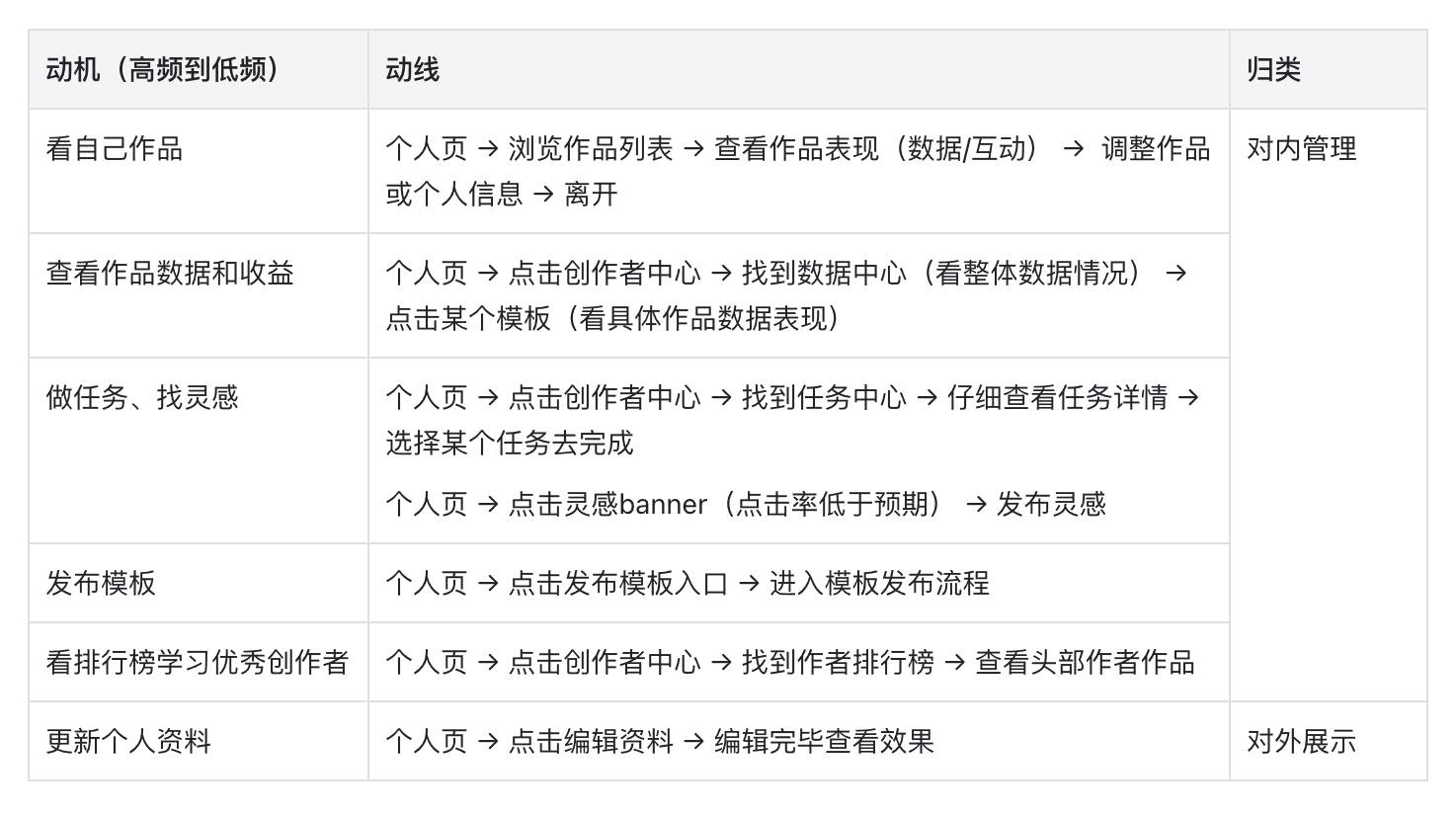
Insight
User journeys mainly fall into two categories: internal creation management and external image management, with the core focus being on their own templates
Behind the page issues was a lack of clear positioning
The original page attempted to "cover everything in one place," but this resulted in an unprofessional appearance to external audiences, unclear internal management, and most importantly, the platform's creative services being overlooked and underutilized.
Solution: Split the profile page into two
Separating subjective and objective perspectives on the profile page to define distinct functional purposes for each perspective.
User Center
Internal management dashboard
task 1
Appreciate their own template works
task 2
View template data and earnings
task 3
Complete tasks and find inspiration
task 4
Publish templates
task 5
Other settings
Homepage Profile
External showcase portfolio
task 1
Identity Management: bio, style customization, social links
task 2
Templates showcase

User Center
02
Creator Center
A streamlined creator dashboard, displaying core metrics and earnings, providing access to the Task Center and Inspiration Hub.
01
my works
Display recently released works and provide an entrance to manage works
03
Core features access
Additional frequently used features displayed in frequency-grouped lists
04
post template
The entrance of posting template is consistent with online.
manage templates
01
Dual Views for Template Management
02
Monitor template Performance easily
03
Added filter options help creators find templates by type


Notification



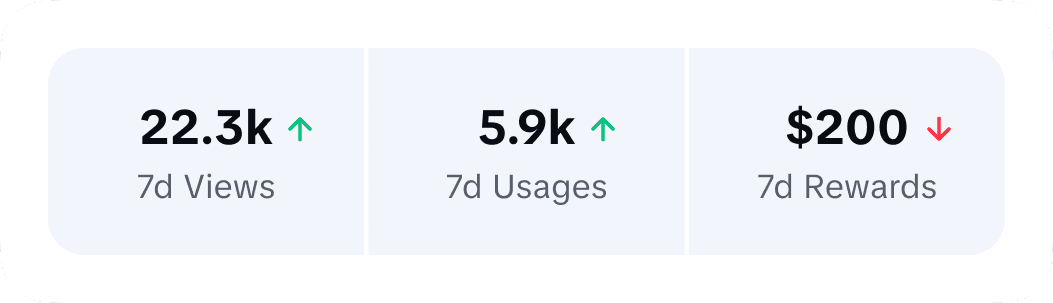
Strengthen creator level visibility


Novice Creator
pro Creator
grandmaster


user profile
creator center
data center
data center
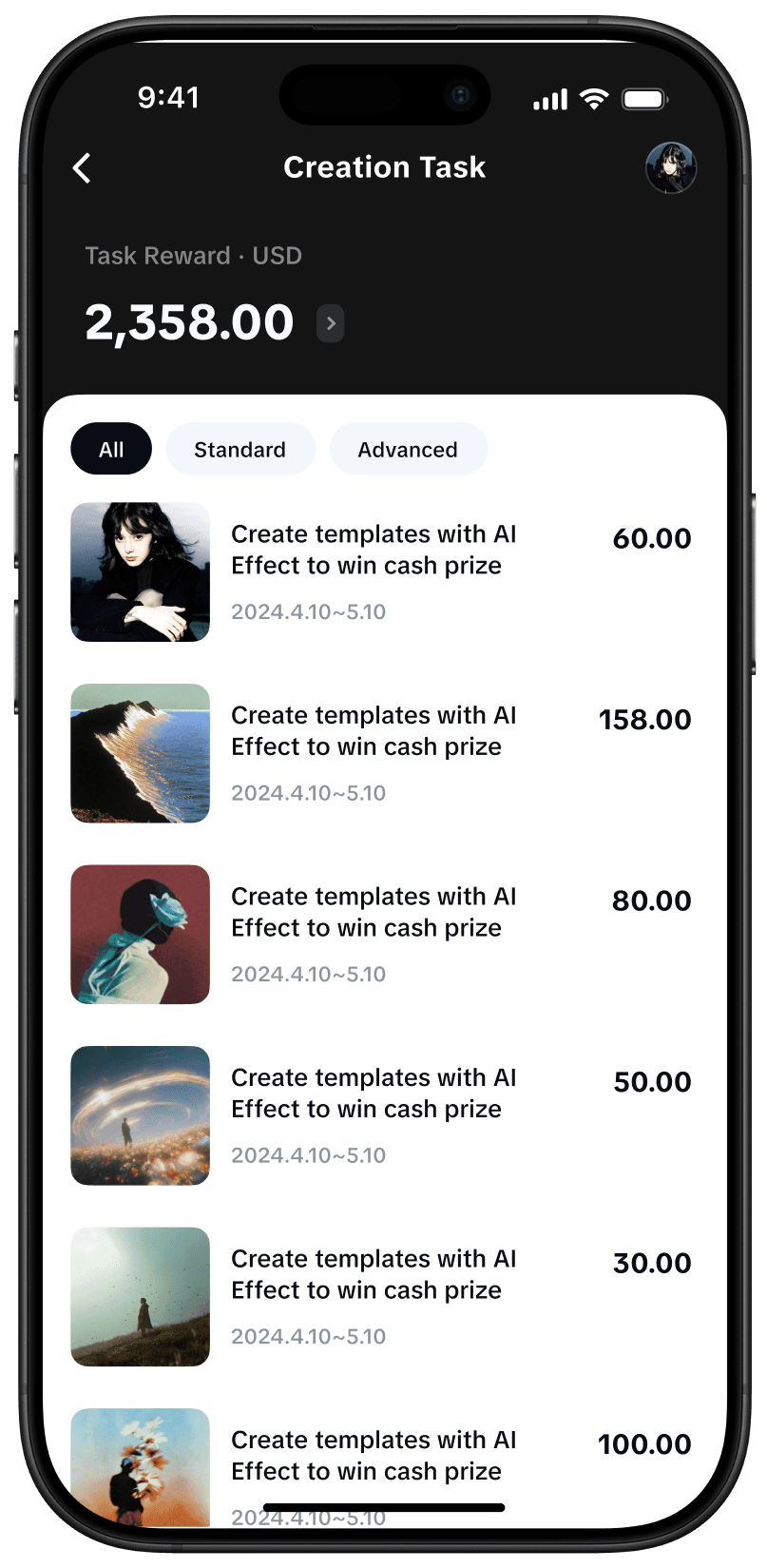
creation task
reward center
creator Center


Structure of the Creator Center
Creator activities in the Creator Center
Insight
Creators have two main goals in the Creator Center: Focusing on performance data and earning income.
Data Center → Inspiration Hub
Reward Center → Creation Task
Homepage Profile
01
Creator info
Creator avatar
Creator name & Creator ID & Badge
Bio & Links
Template & Followers & Following
02
settings
Edit info & Share
03
templates showcase
Two-column feed showcasing works, with view counts shown on covers
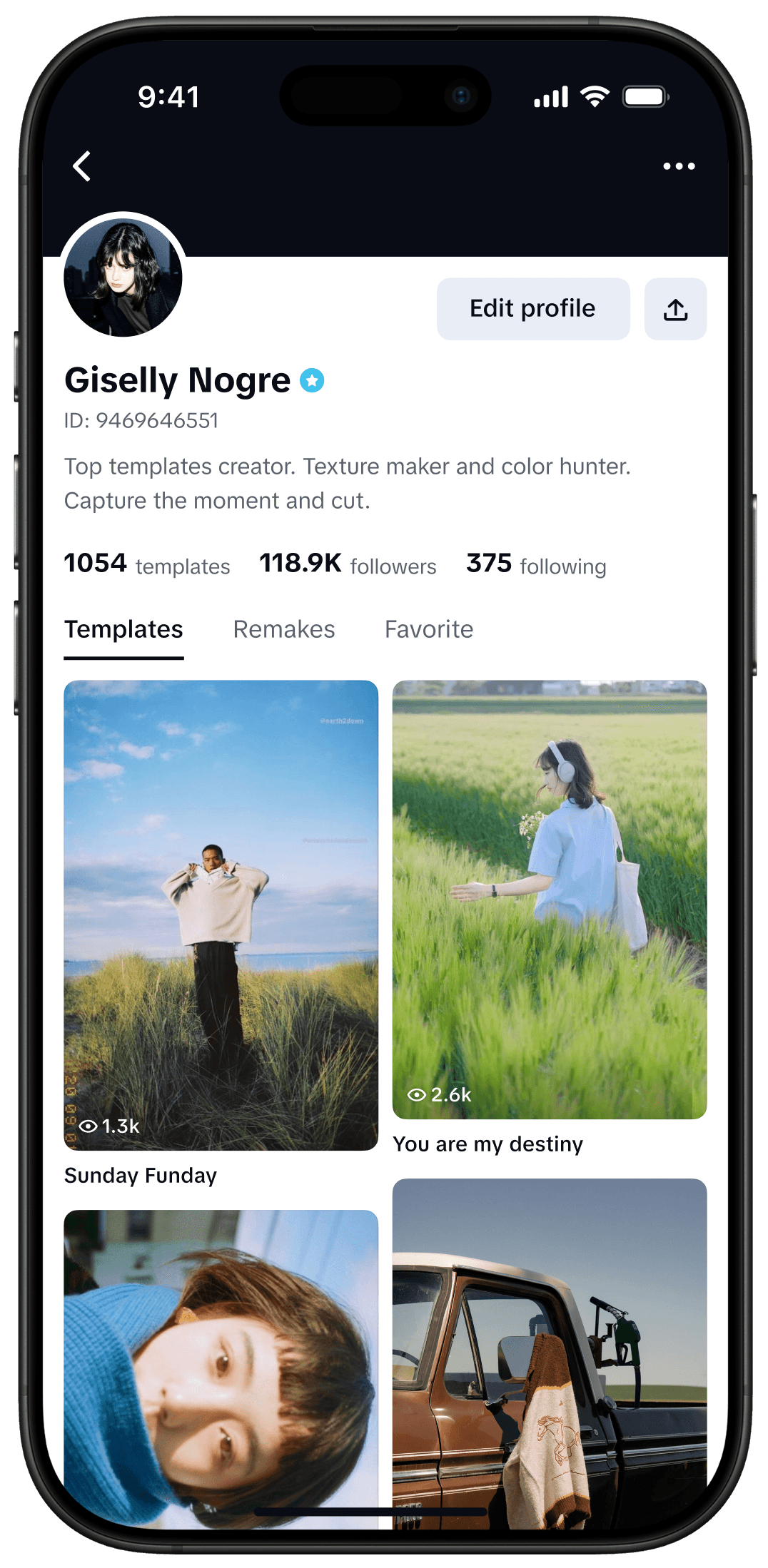
creator’s brand showcase


© 2025 yuaN . All rights reserved