CapCut Template
CapCut’s rich library of templates is one of the key reasons it stands out among competitors, helping it become the world’s #1 video editing app with over 200 million monthly active users. This redesign focused on our second-largest traffic entry point—the Template Preview Page — where users decide whether to use a template after seeing how it looks.

1. Explore the feed
2. Preview template
3. Upload from album
4. Edit video
Export & Share
What drove the redesign
Slowing growth
Template usage and export growth have slowed, revealing experience and feature gaps through user insights and data analysis.
Paving the way for AI features
As generative AI advances, CapCut has launched new AI-powered template types which require different design from regular templates.
Business strategy adjustment
In 2024, the pricing model for templates will change. Balancing user experience with revenue goals is a valuable challenge.
Challenge
The challenge is redesigning a high-traffic distribution page to address slowing growth while aligning with the product roadmap for the next six months.
Solutions Provided
Treated the page as a Container — decomposed its components, analyzed content and user behavior, and emphasized scalability and adaptability . Identified existing and potential pain points as opportunities to optimize the container framework. Adopted an iterative, step-by-step process focused on incremental improvements.

Container
The structure of container
Video Player: Maximize immersion → Full-screen , reduce noise
Tool Preview: Speed up decision → Highlight key parameters
L3
Interaction
L2
Information
L1
Media


What is contained
Organized the characteristics of each template category, structuring previously unstructured information.

Translating Business Goals into Design Goals
Business Goals
Increase template export rate and user engagement.
Entry Point
After validating the framework with low-traffic templates, we focused on redesigning the most widely used template type before expanding to others.
User Journey
Discover template → Edit video → Export video
Scope of Redesign
We clarified that this redesign targets the “Discover Template” stage, aiming to help users match with high-quality templates.
Action
Redesigned the page layout for clarity and scalability, adding inspiration elements to boost template use and exports.
Solution
Combining algorithm with user intent: Surface trending music and TikTok trends on the detail page to guide user intent.
Identify the Problem
Template → User
Feed recommendations lose relevance over time.
User → Template
Users struggle to describe needs, making search ineffective.
Data Indicators
Core metrics: “Use Template” CTR, export rate.
Supporting metrics: user activity, tool-side exports, revenue.
Uncovering User Intentions and Actions

User Behavior
Users entering single-column feed from dual-column get similar video recommendations, but as algorithm relevance weakens, they typically drop off after viewing just a few videos.

Search Query
Backend search query analysis shows spikes during holiday periods with high overlap - for example, 'Valentine' searches surge around February 14th.

Comments of the template
Redesigned the page layout for clarity and scalability, adding inspiration elements to boost template use and exports.

User Feedback
Music is the soul of videos. It's hard to describe the desired video style in words, and users want to know how templates are made.
Design Goal
Enhance immersion, minimize distractions, and surface essential information.
Structural stability Define fixed and flexible zones.
Scalability Flexible zones accommodate new elements such as music, trends, AI tags, or monetization info.
Encourage usage Highlight the “Use Template” button to boost click-through.
Design Stage 01
Redefine the template framework to stimulate growth
Solution exploration
Before

Option A

Option B
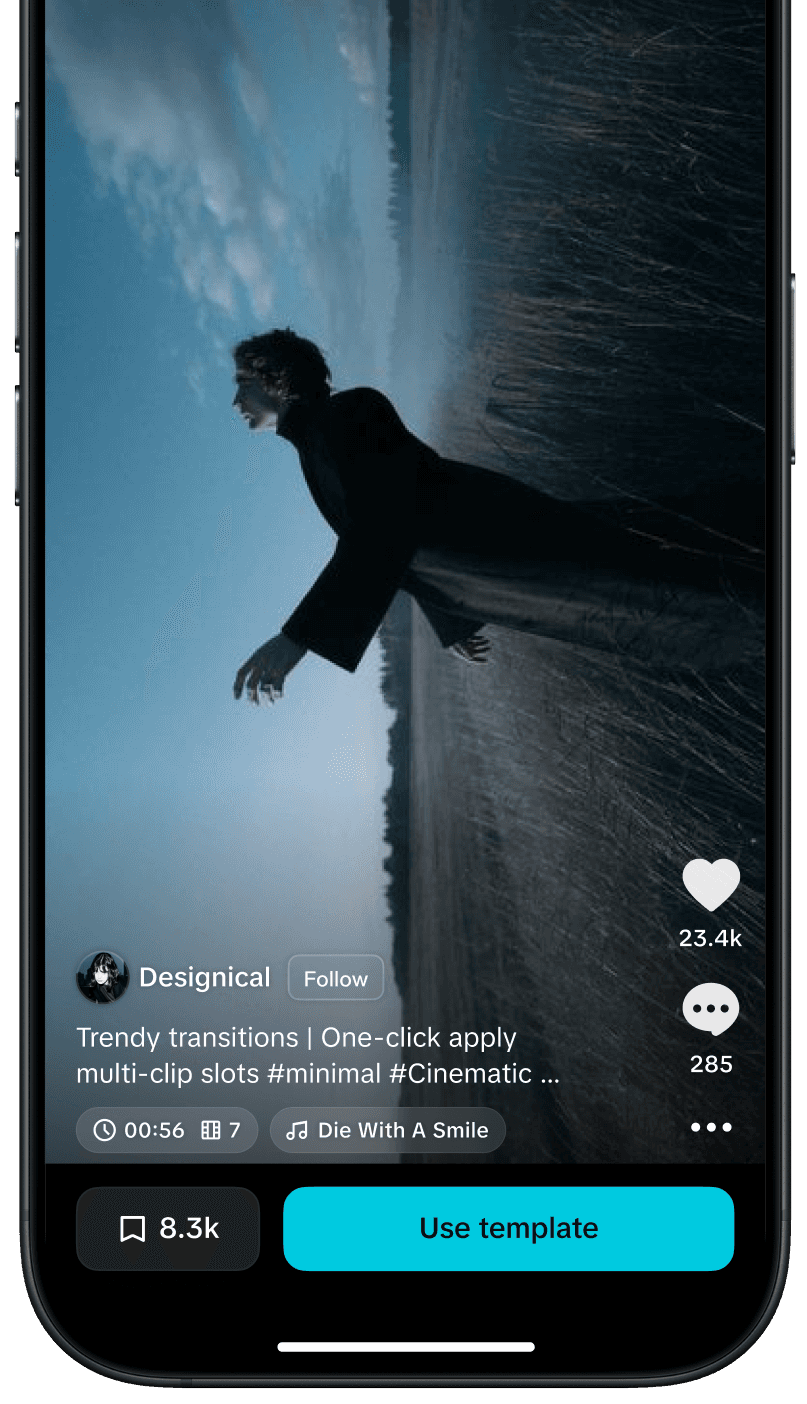
How to Incorporate Inspirational Elements

Option A
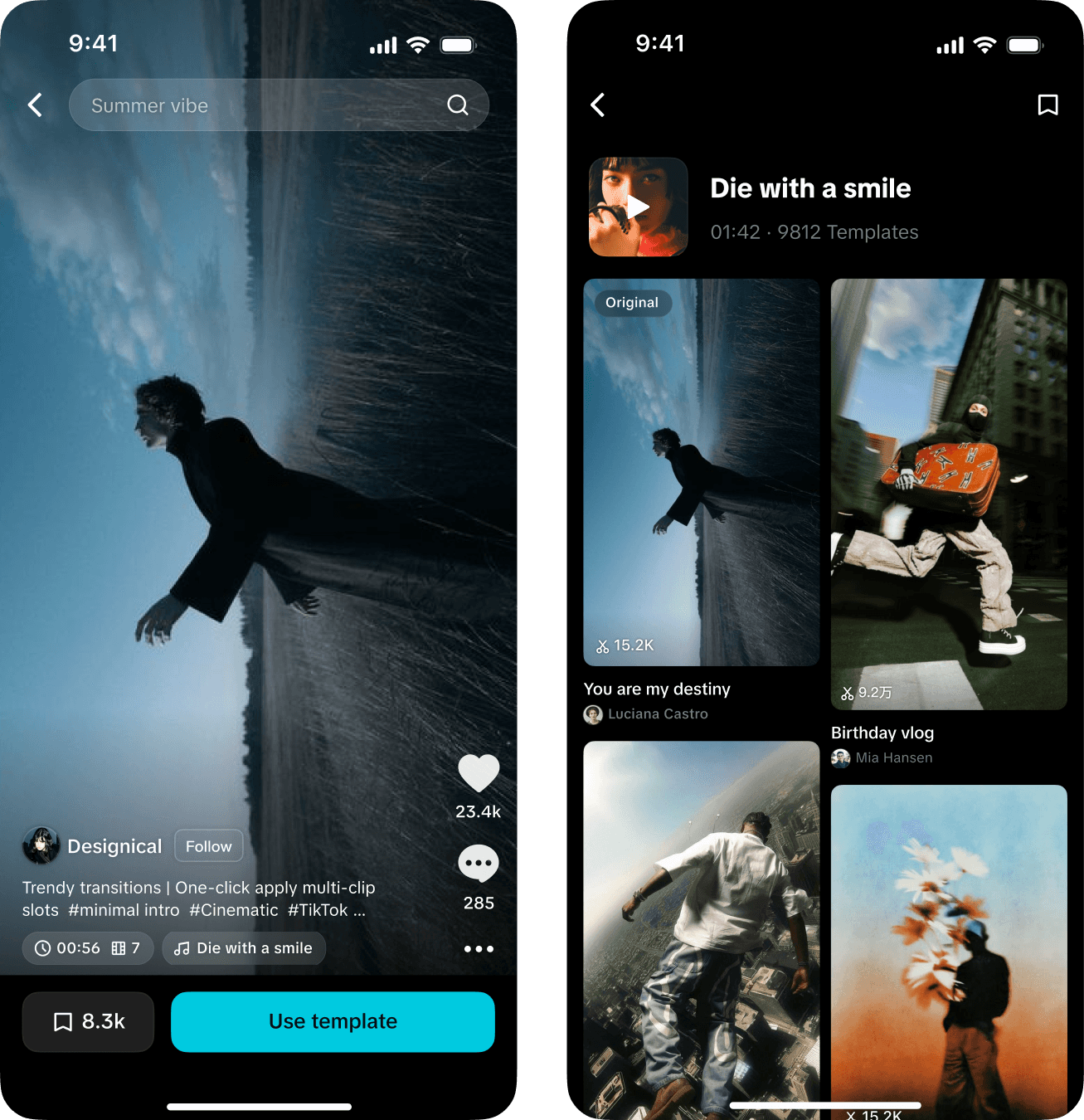
Option B
AB Testing to Refine Details
V1
New framework layout

V2
New framework + Progress bar

V3
Author avatar placed on the right

V4
Template title and description moved to comment section

Validation Process
Validation
User adaptation to new UI
Title impact on usage decisions
Avatar effect on immersion
Progress bar necessity
AB Test Results
New users V1>V0, existing users V1=V0
V4 > V1
V1 = V3
High-end V2>V1, low-end V1>V2
Conclusions
New framework performs better for new users; existing users need adaptation time
Moving titles to comment section creates cleaner video interface with better experience
Author avatar position has no significant impact on template usage
Progress bars boost usage/export rates, low-end devices show negative impact due to performance issues
Finalization

01
Video Section
Maximize the presentation of video content
02
Interaction Section
No changes this time to avoid affecting engagement metrics
04
Usage Section
"Use Now" and "Use Later"
03
information
Keep only information relevant to user decision-making
Design Stage 02
Adapt different template types to the new framework
type 1
Short Video template
Generate high-quality short videos with the same cool effects, music, and rhythm in one click, extracting music, effects, and trending elements as inspiration.


type 2
Short Video template (camera)

type 3
commercial template

type 4
AI Effect Template

type 5
AI Script Template

type 6
Advertisement

type 7
Questionare
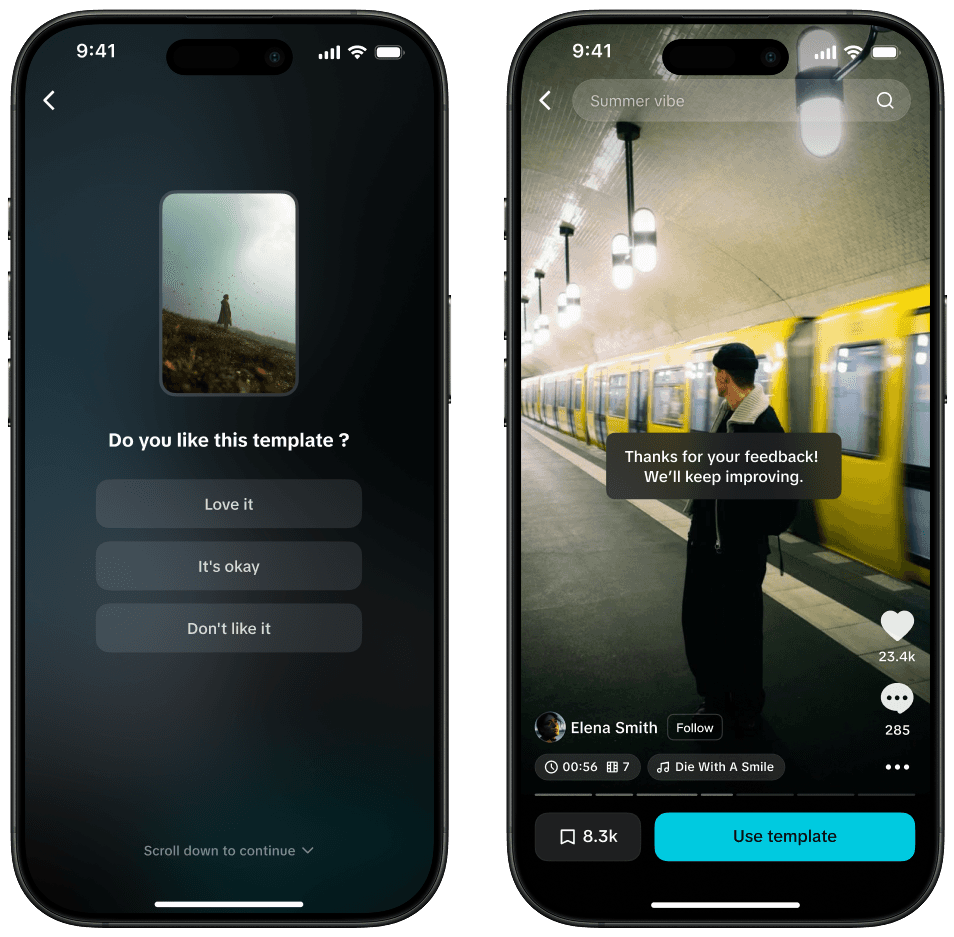
Design Stage 03
Commercialization of templates


template preview page redesign
Faced with slowing growth on one of CapCut’s largest entry points, I redesigned the template preview page to help users find the right inspiration faster while paving the way for AI and new monetization needs.
From system thinking to A/B testing, I crafted a scalable, user-friendly experience now launched globally—shaping the framework that future template journeys will build upon.
date
2024.02 → 2024.08
duration
6 months
Roles
Design Owner
UX / UI
© 2025 yuaN . All rights reserved